Every entry below is a jq filter, what it returns, and a minimal example. Output shown came from jq 1.8.2.
For the guided version with explanations and larger worked examples, read the jq Cookbook.
Run Any Entry Here
The playground runs real jq 1.8.2 on the same employees.json used throughout this reference. Paste any filter or jq command from the entries below into the command line and press Run.
Practice the commands on this page in real jq, right here. Nothing downloads until Start (about 360 KB).
Each exercise gives you a starting command. It runs, but it does not do the task yet: change it until it does.

jq Cookbook: Read Values
  1  Print the company name without quotes
  2  List every employee's email instead of every name
  3  Print only the last employee's name
  4  Show Ada's city, or "unknown" when there is none

Filter JSON With select
  5  Print only the names of people older than 30
  6  Find the Engineering staff who earn more than 120000
  7  Name everyone who has no skills listed
  8  Count the Engineering staff as one number

Reshape JSON Objects
  9  Keep only each employee's name and dept
 10  Show each employee's id as employee_id and name as full_name
 11  Give everyone a 10% raise and show each name with the new salary
 12  Build one object that maps each name to that person's email

Count, Sum, Group, and Sort
 13  Print the average age
 14  Count the employees in each department
 15  List the names from the highest salary to the lowest
 16  List every skill once, sorted

Convert JSON to CSV, TSV, and Text
 17  Print id, name, and salary as CSV rows
 18  Put a header row above the TSV of names and emails
 19  Print a line such as "Ada Lopez earns 145000" for everyone

Use jq in Shell Scripts
 20  Pass Engineering in with --arg and list the people in it
 21  Pass 30 in with --argjson and list the people older than it
 22  Make jq exit with status 1 because nobody works in Legal

Search and Combine JSON
 23  Collect every name in the document, wherever it is
 24  List the paths to every string value
 25  Count the employees in both copies of the file together

Real-World jq Recipes
These files are saved samples: what each network recipe in Learn jq printed, trimmed, with nothing private in them. Run a recipe as Learn jq prints it and press Use to try its jq part here, or name the file yourself, as in jq . pods.json.
  github-repo.json  saved sample of curl --silent https://api.github.com/repos/jqlang/jq
  github-releases.json  saved sample of curl --silent "https://api.github.com/repos/jqlang/jq/releases?per_page=3"
  offices.json  saved sample of curl --silent https://raw.githubusercontent.com/jeffabailey/learn/main/tools/jq/offices.json
  pods.json  saved sample of kubectl get pods -o json
  ec2-instances.json  saved sample of aws ec2 describe-instances
The jq practice needs JavaScript. Every command in the reference also works in jq on your own machine.
Selecting Values
The identity filter and field access. These cover most single-value lookups.
.returns the whole input unchanged. Use it to pretty-print..companyreturns one field. Returnsnullwhen the key is absent.."odd key"returns a field whose name contains spaces or punctuation..a.b.cwalks nested objects. Any missing level yieldsnull..a?suppresses the error when the input is not an object..employees[]emits each array element as a separate result..employees[0]returns one element by index. Indexes start at 0..employees[-1]counts from the end..employees[1:3]slices from index 1 up to but excluding index 3...recurses through every value in the document.
jq -r '.employees[0].name' employees.jsonAda LopezFiltering With select
select(condition) passes an input through when the condition is true and emits nothing when it is false.
select(.age > 30)keeps matching values.select(.dept == "Design")compares for equality.select(.age > 30 and .dept == "Engineering")combines withand,or, andnot.select(.name | test("^[ab]"; "i"))matches a regular expression. The second argument holds flags, whereimeans case-insensitive.select(.skills | index("go"))keeps values whose array contains a member.select(.manager == null)finds explicit nulls.select(has("email"))tests for a key rather than a value.
not is a filter, so it follows a pipe rather than preceding the expression.
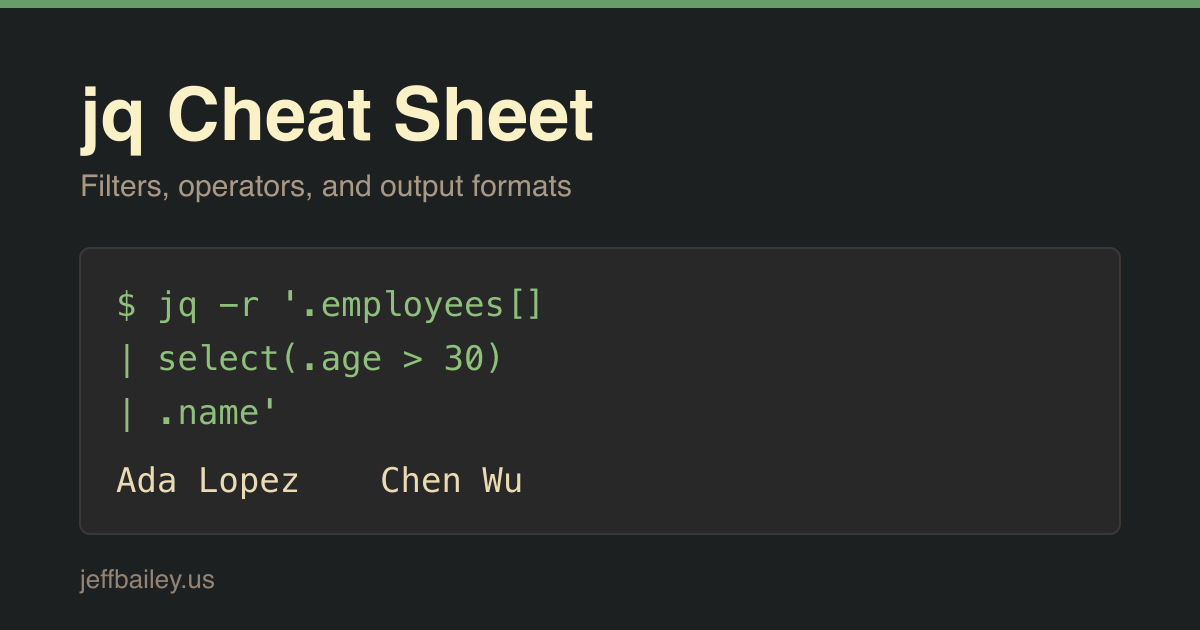
jq -r '.employees[] | select(.age > 30) | .name' employees.jsonAda Lopez
Chen WuReshaping Objects
Build a new object, or edit the one you have.
{name, dept}keeps only those fields, using the field names as keys.{n: .name, d: .dept}renames fields..name = "New"sets a value..age |= . + 1updates a value with a filter.. + {active: true}merges an object, with the right side winning on conflicts.del(.email)removes a key.with_entries(select(.value != null))drops null-valued keys.keysreturns sorted key names, andkeys_unsortedpreserves document order.to_entriesconverts an object to an array of{key, value}pairs, andfrom_entriesreverses it.
jq -c '.employees[0] | {n: .name, d: .dept}' employees.json{"n":"Ada Lopez","d":"Engineering"}Arrays and Aggregation
Collect, count, and summarize.
[.employees[].name]wraps a stream back into an array.lengthreturns array length, object key count, or string character count.map(.salary)applies a filter to every element.addsums numbers, concatenates strings, or merges objects.min,max,min_by(.age), andmax_by(.age)find extremes.sortorders an array, andsort_by(.age)orders by a computed key.reverseflips order. Combine withsort_byfor descending order.uniqueremoves duplicates and sorts, andunique_by(.dept)deduplicates on a key.group_by(.dept)returns an array of arrays, grouped by a sorted key.flattencollapses nested arrays, andflatten(1)limits the depth.anyandalltest a whole array, returning a single boolean.range(0; 5)generates numbers, including the start and excluding the end.
add on an empty array returns null, so guard totals with // 0 when the input may be empty.
jq '[.employees[].salary] | add' employees.json434000Strings and Numbers
Convert, format, and interpolate.
tostringandtonumberconvert between types.tonumberfails on text that is not numeric.ascii_downcaseandascii_upcasechange case for ASCII only.ltrimstr("pre")andrtrimstr(".suf")remove a prefix or suffix when present.split(",")divides a string into an array, andjoin(", ")reverses it.test("regex")returns a boolean,match("regex")returns match details, andcapture("(?<name>re)")returns named groups.sub("a"; "b")replaces the first match, andgsub("a"; "b")replaces every match."Hi \(.name)"interpolates a filter into a string.floor,ceil,round,fabs, andsqrtcover common arithmetic.nowreturns the current Unix timestamp, andtodateformats one as ISO 8601.
jq -r '.employees[] | "\(.name) <\(.email)>"' employees.json | head -2Ada Lopez <ada@acme.example>
Ben Okafor <ben@acme.example>Defaults and Error Handling
Keep a filter running when the data is imperfect.
.missing // "fallback"substitutes when the left side isnullorfalse..a?returns nothing instead of erroring when the input type is wrong.try .a catch "bad"catches an error and returns a replacement.error("message")raises an error deliberately.emptyproduces no output, which removes a value from a stream.halt_errorexits with a non-zero status, which is useful in scripts.
// treats false as absent, so it is the wrong operator for a boolean field that may legitimately be false.
jq '.employees[0].address.city // "unknown"' employees.json"unknown"Output Formats
Control what reaches stdout.
@csvformats an array as one comma-separated row, quoting strings.@tsvformats an array as a tab-separated row.@jsonserializes a value as a JSON string.@base64encodes, and@base64ddecodes.@uripercent-encodes for use in a URL.@shquotes a value for safe use in a shell command.
@csv and @tsv require an array of scalars, so build one with [...] first, and pair them with -r to strip the outer quotes.
jq -r '.employees[] | [.name, .dept, .salary] | @csv' employees.json | head -2"Ada Lopez","Engineering",145000
"Ben Okafor","Engineering",118000Command-Line Flags
Flags change how jq reads input and writes output.
-rprints strings raw, without surrounding quotes.-jprints raw output with no trailing newline.-cprints each result on a single line.-nstarts withnullinput instead of reading stdin, which suits--arg-only invocations.-sreads the entire input stream into one array.-esets the exit status from the output, returning 1 when the result isnullorfalse.-Ssorts object keys in the output.--tabindents with tabs, and--indent Nsets a space count from 0 to 7.--arg name valuepasses a string variable, available as$name.--argjson name valuepasses parsed JSON rather than a string.--slurpfile name filereads a file into an array variable, and--rawfilereads it as one string.--raw-inputtreats each input line as a string instead of JSON.-f file.jqreads the filter program from a file.
Always pass shell values through --arg rather than string-concatenating them into the program, which keeps quoting correct.
jq -n --arg dept Design --argjson min 90000 \
  '{dept: $dept, floor: $min}'
{
"dept": "Design",
"floor": 90000
}Error Messages and What They Mean
The text jq prints on stderr, and the usual cause.
jq: error: syntax error, unexpected ...means the filter failed to compile. Check for an unclosed bracket or quote.Cannot index array with string ("name")means a.fieldwas applied to an array. Add[]to iterate first.Cannot index string with string ("name")means the value is a string, often because-routput was piped back into jq.Cannot iterate over nullmeans[]was applied to a missing key. Use.a[]?to skip it.null (null) has no keysmeanskeysran against a missing object.Cannot index number with number (0)means an index was applied to a scalar.parse error: Invalid numeric literalmeans the input is not valid JSON. Check for a shell prompt or log line mixed into the stream.jq: error (at <stdin>:1)prefixes runtime errors, where the number is the input line.
jq exits 0 on success, 1 when -e is set and the output is null or false, 2 on a usage problem, 3 on a compile error, and 5 after halt_error.
Related Reading
- The jq Cookbook covers the same filters with explanations and full worked examples.
- The jq Manual is the authoritative specification for every builtin.
- jq vs yq covers running these filters on YAML, and where yq needs them translated, such as its missing
add.
References
- jq Manual, the official reference for jq 1.8, covering every builtin, operator, and flag.
- jq on GitHub, for release notes and the changelog that records behavior changes between versions.
Comments #